
The AI Assistant (the sparkle button in the bottom-right corner) answers questions about your actual coaching data — trackers, programs, check-ins, notes, and messages. It's read-only: it analyzes and links you to clients, it never changes anything. Requires a Pro or Unlimited plan.
1. Open the Command Center
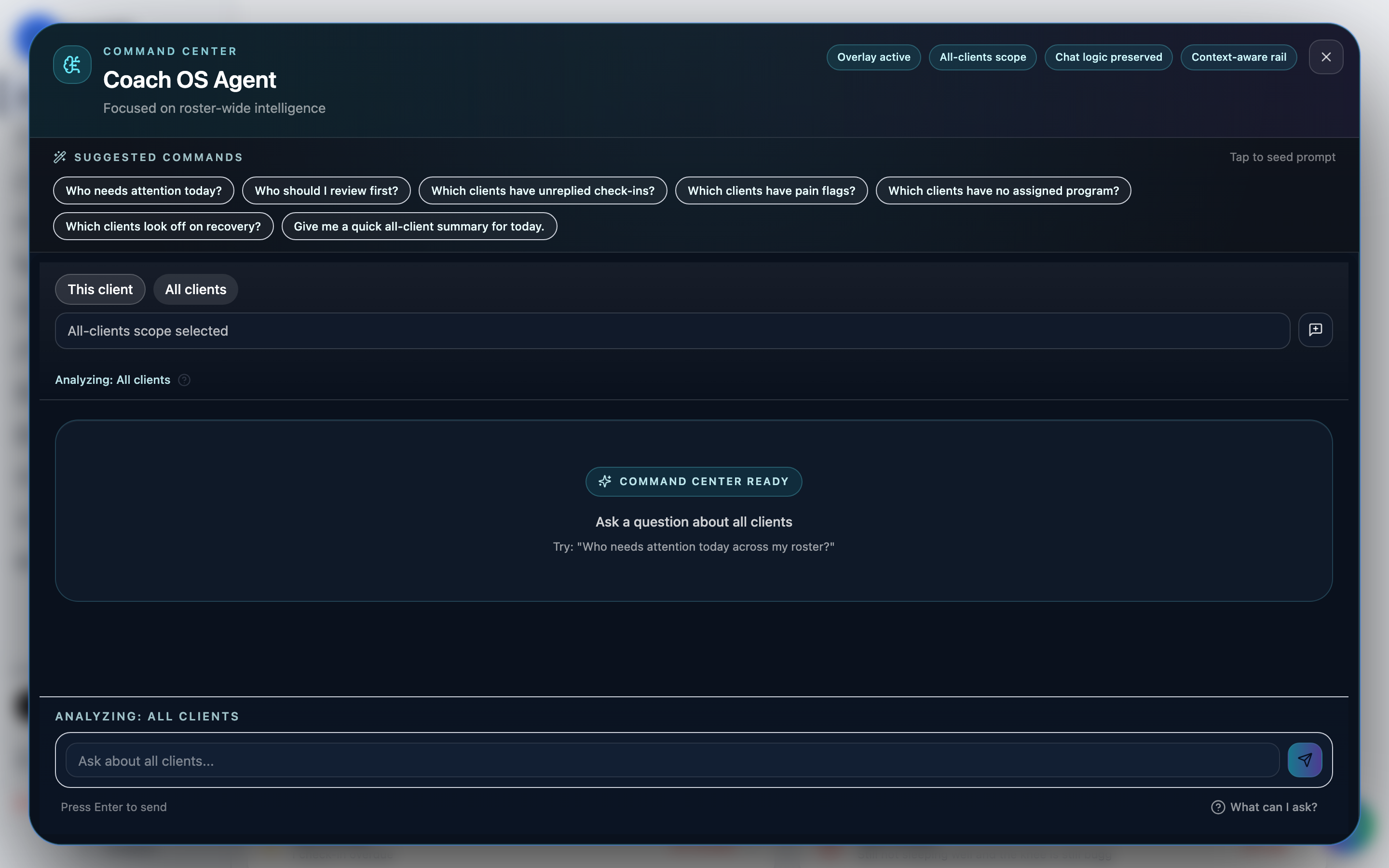
Click the sparkle button in the bottom-right of any page. The overlay shows Suggested Commands you can tap to seed a question.
2. Pick your scope
Toggle This client (pick one client and ask about their week, sleep, adherence) or All clients for roster-wide questions.
3. Ask
Tap a suggested command like "Who needs attention today?" and press Enter, or write your own. Answers cite the underlying data and include Open client shortcuts to jump straight to whoever needs you.
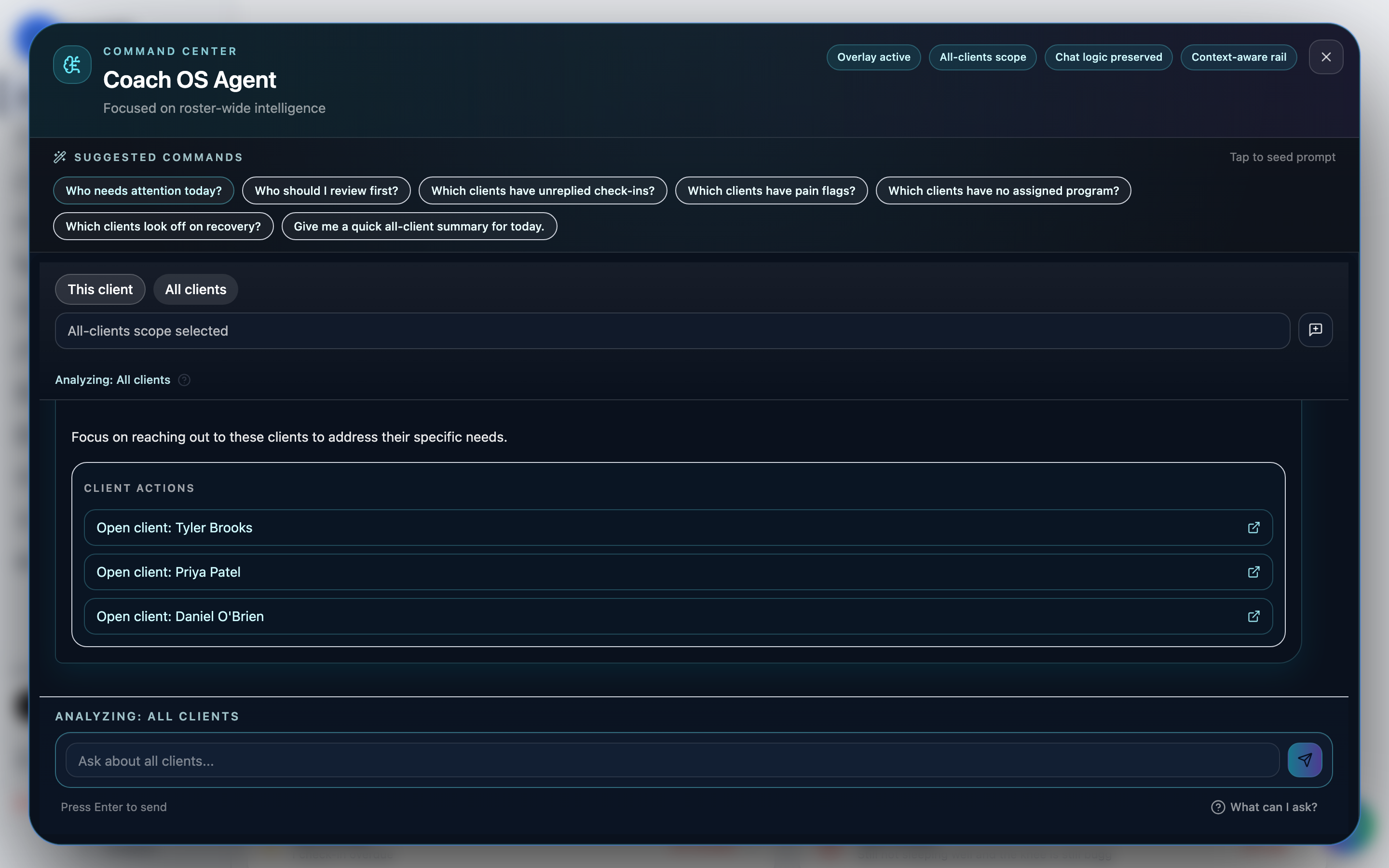
Each client's conversation is kept separately, so you can pick up where you left off — use the new-conversation button to start fresh.