
AI Tools scans your clients' training, recovery, and chat activity and turns what it finds into patterns you can act on — progression stalls, adherence drops, and concerns clients mention in messages.
1. Open Pattern Detection
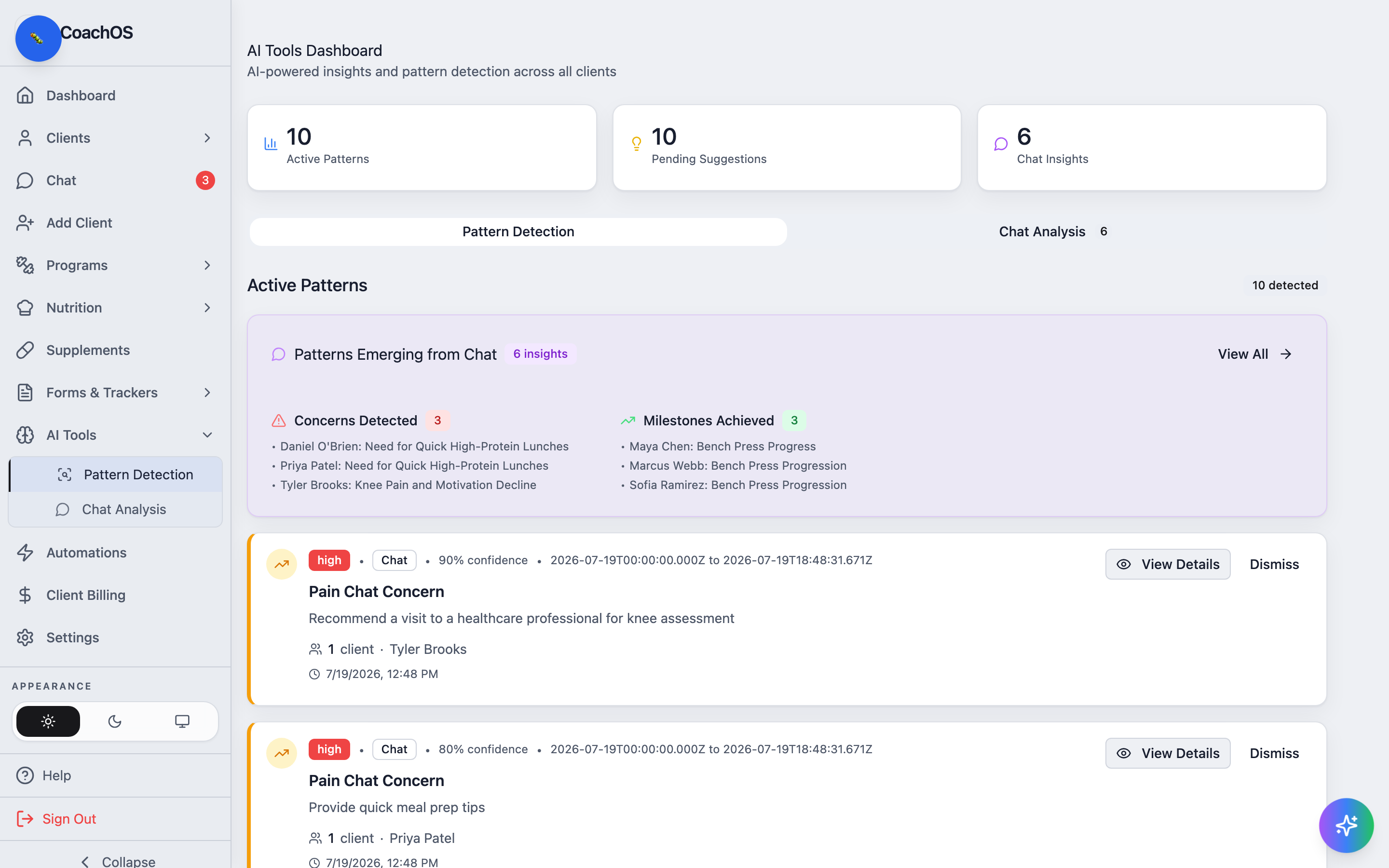
In the sidebar, click AI Tools → Pattern Detection. The tiles at the top count Active Patterns, Pending Suggestions, and Chat Insights.
2. Review what it found
Active Patterns lists each detected pattern with its severity, source, and confidence, plus the affected client. The Patterns Emerging from Chat card splits message-based insights into Concerns Detected and Milestones Achieved — a client mentioning knee pain shows up here without you re-reading every thread.
3. Open the details
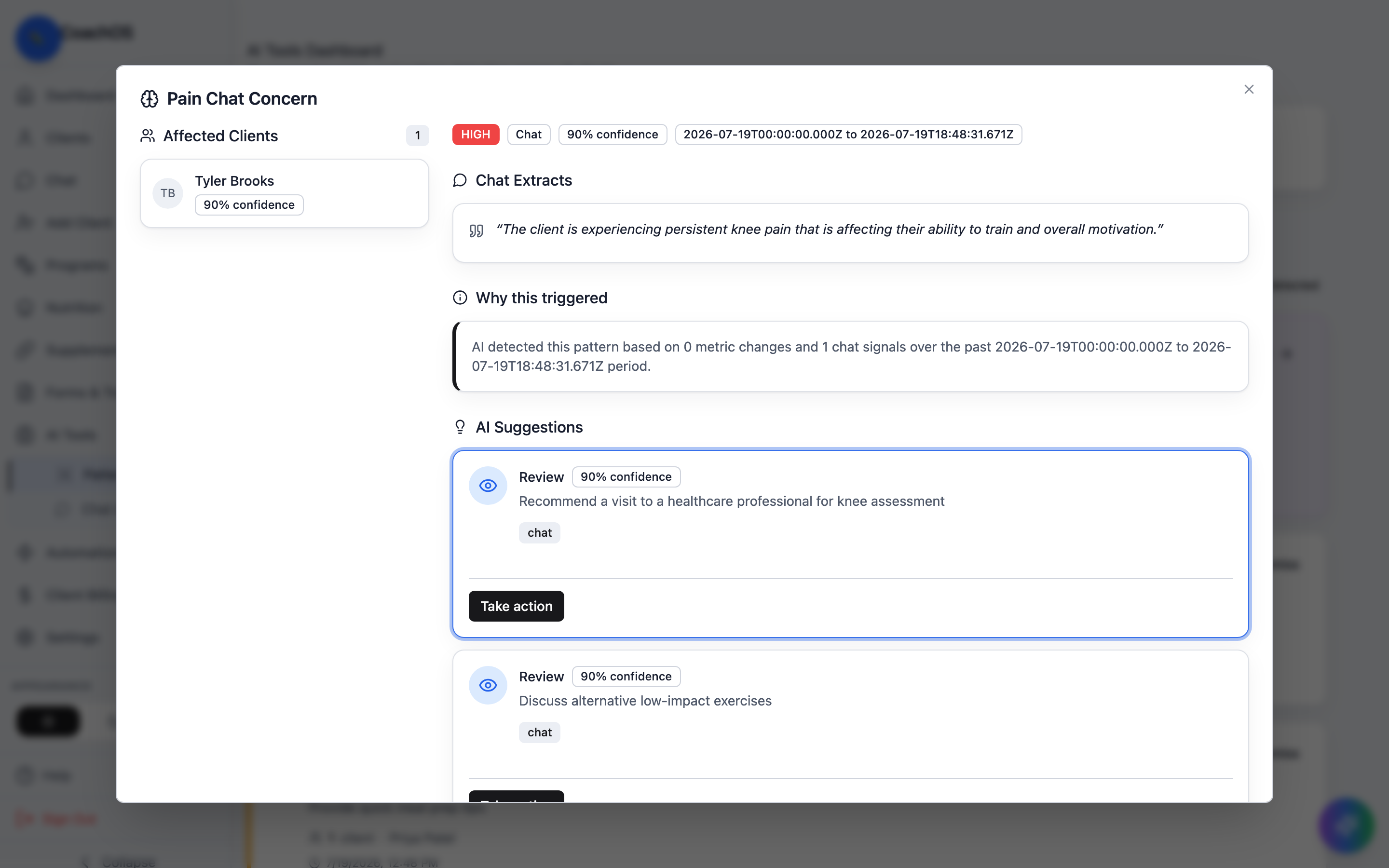
Click View Details on a pattern. The detail view shows the Affected Clients, the Chat Extracts or metrics behind the finding, Why this triggered, and AI Suggestions for what to do next.
4. Act on it
Use Take action on a suggestion to follow through, or Dismiss a pattern you've handled. Dismissed patterns won't re-alert for the same finding.