
Your coach adds you to CoachOS by email. The invite link is what connects your account to them, so start from that email.
1. Open the invite
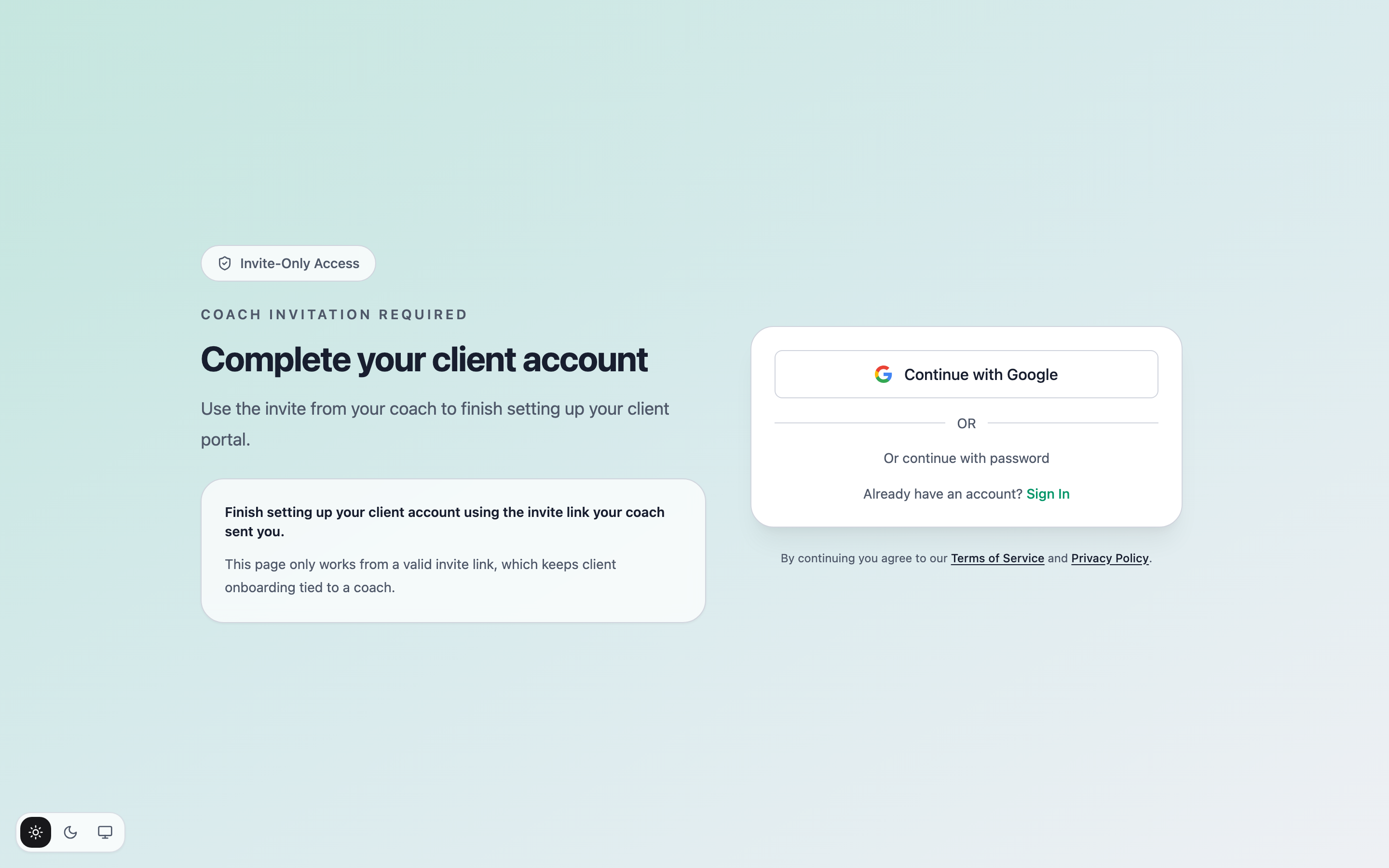
Tap the link in your coach's invite email. It opens the Complete your client account page — this only works from a valid invite link.
2. Create your account
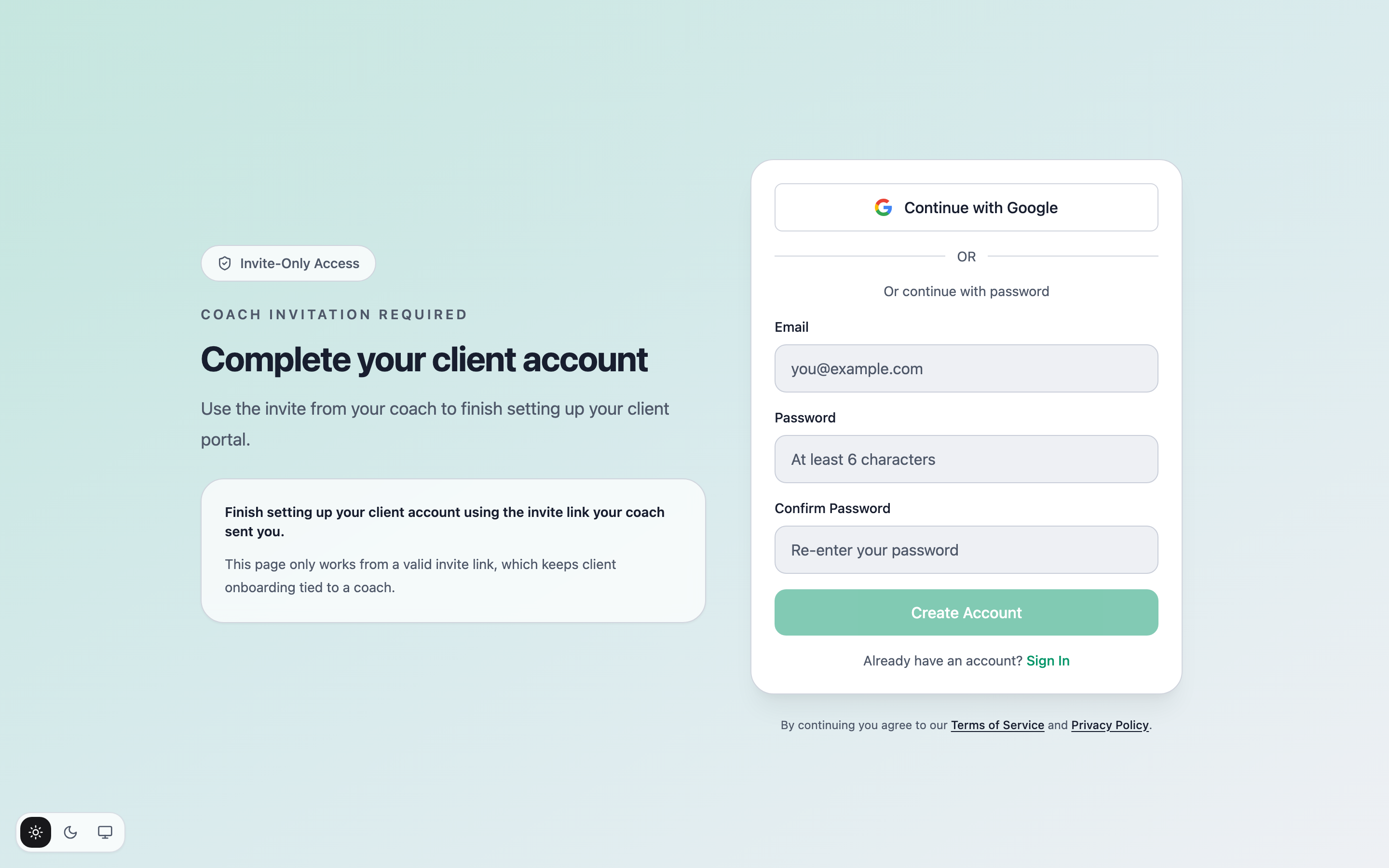
Choose Continue with Google, or Or continue with password to set an email and password instead.
3. Finish onboarding
After you sign in, you'll fill in a short intake form your coach set up — goals, starting stats, and anything they want to know up front. Tap Complete Onboarding and you land in your app, ready to go.
If the page says the invite is invalid, ask your coach to resend it — sign-up always needs a current invite link.