
Every invite includes an intake form the client fills in while creating their account. Customize it once and every future invite uses your version.
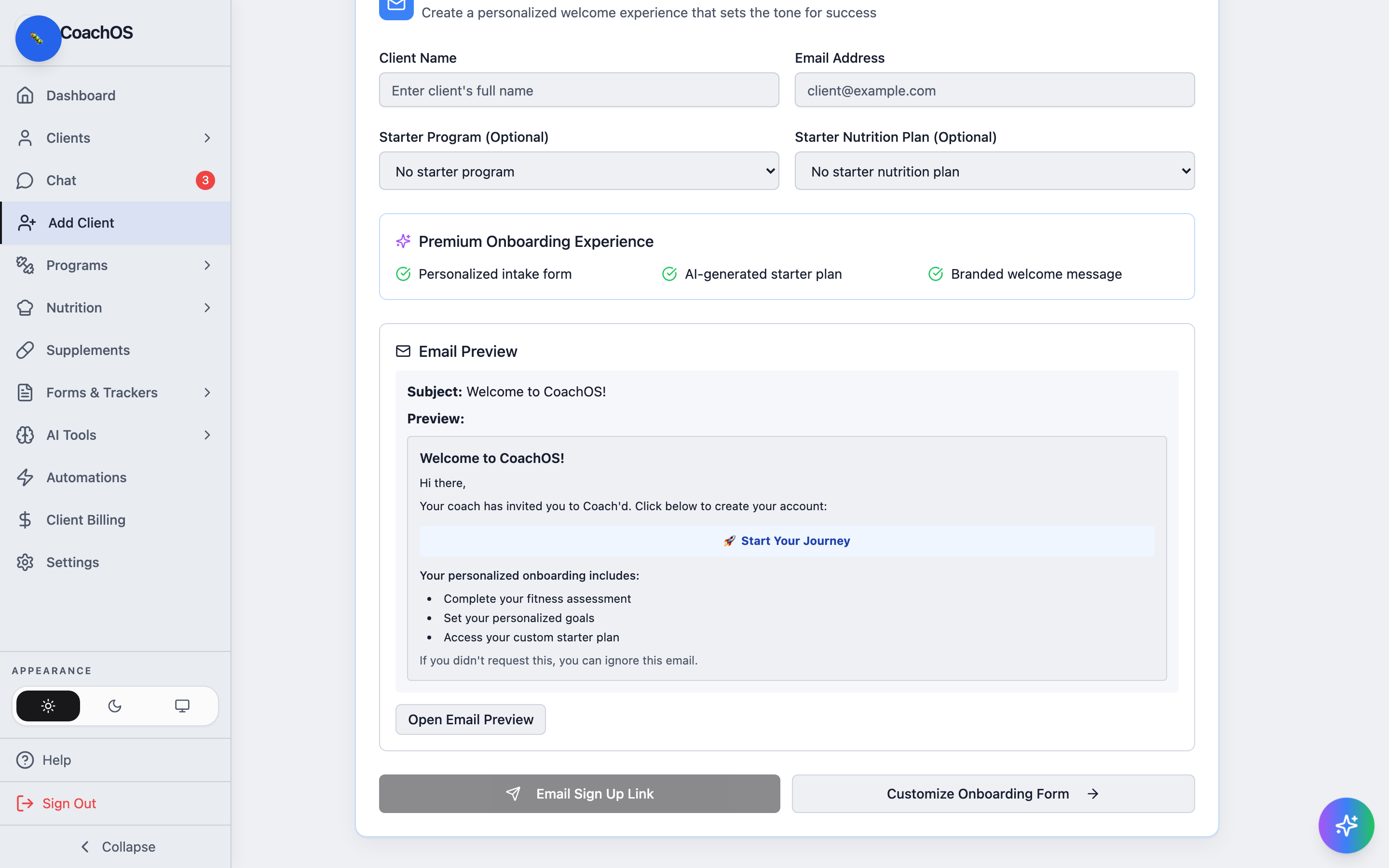
1. Open the editor
Go to Add Client in the sidebar and click Customize Onboarding Form.
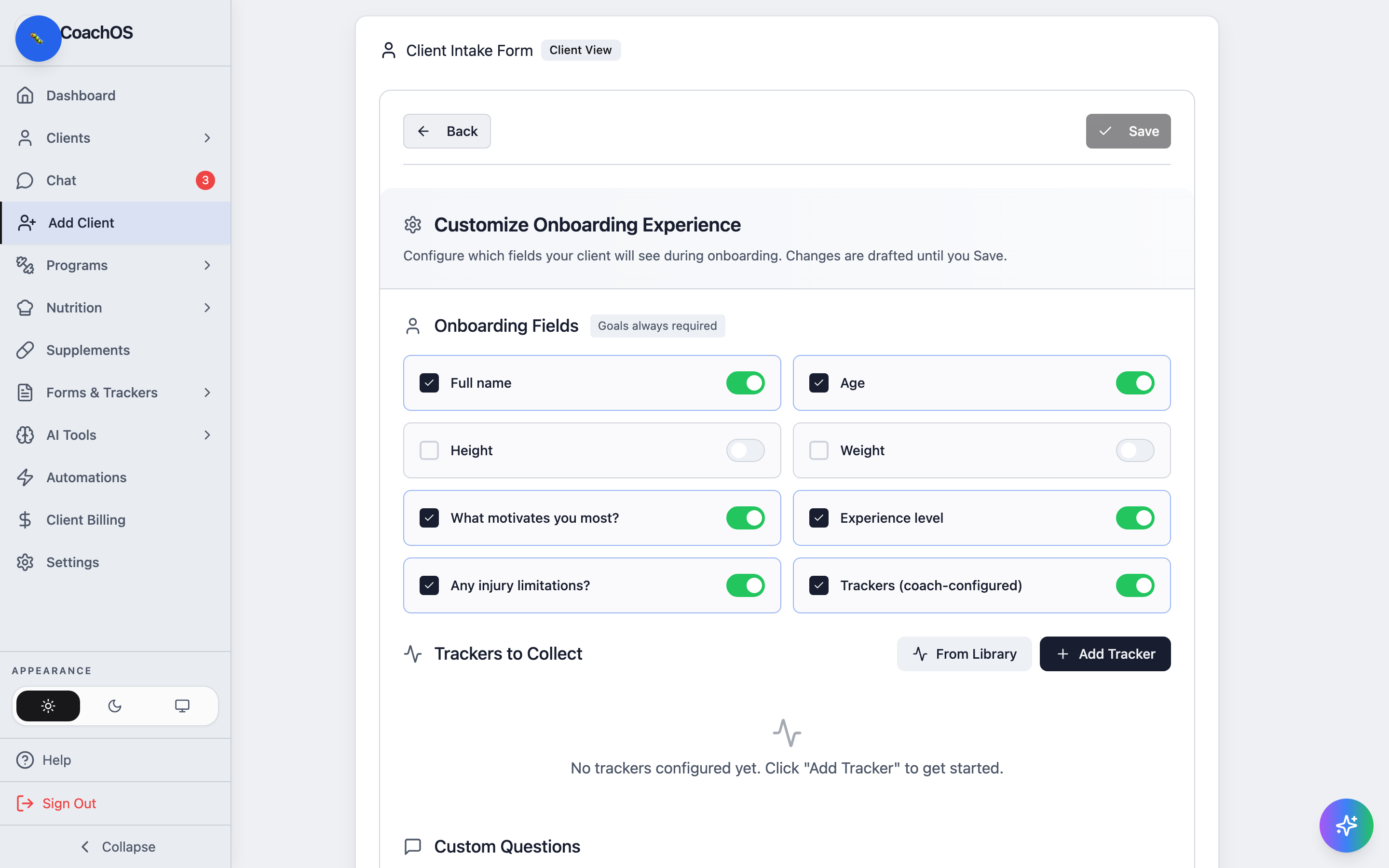
2. Choose your questions
The Client Intake Form editor shows the form exactly as clients see it. Toggle the standard fields you want (name, age, motivation, experience, injuries, height, weight), and add your own custom questions with a required flag where it matters.
3. Set default trackers
Further down, define the trackers every new client starts with — title, unit, and cadence. When you save, new trackers are also added to your library so you can assign them to existing clients too.
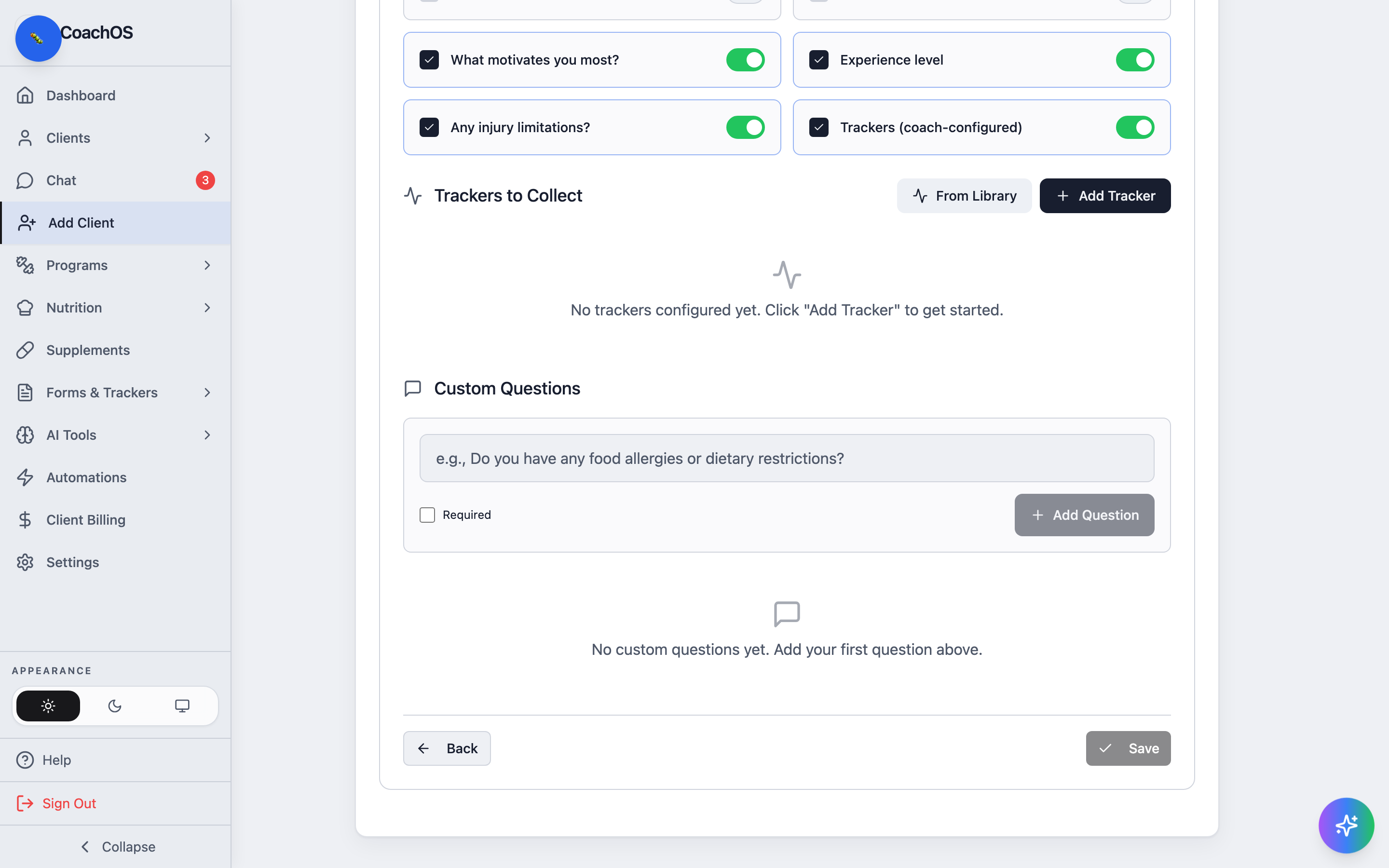
Save the template and it applies to the current invite and every invite after it. Clients' answers land in their profile's Intake tab.