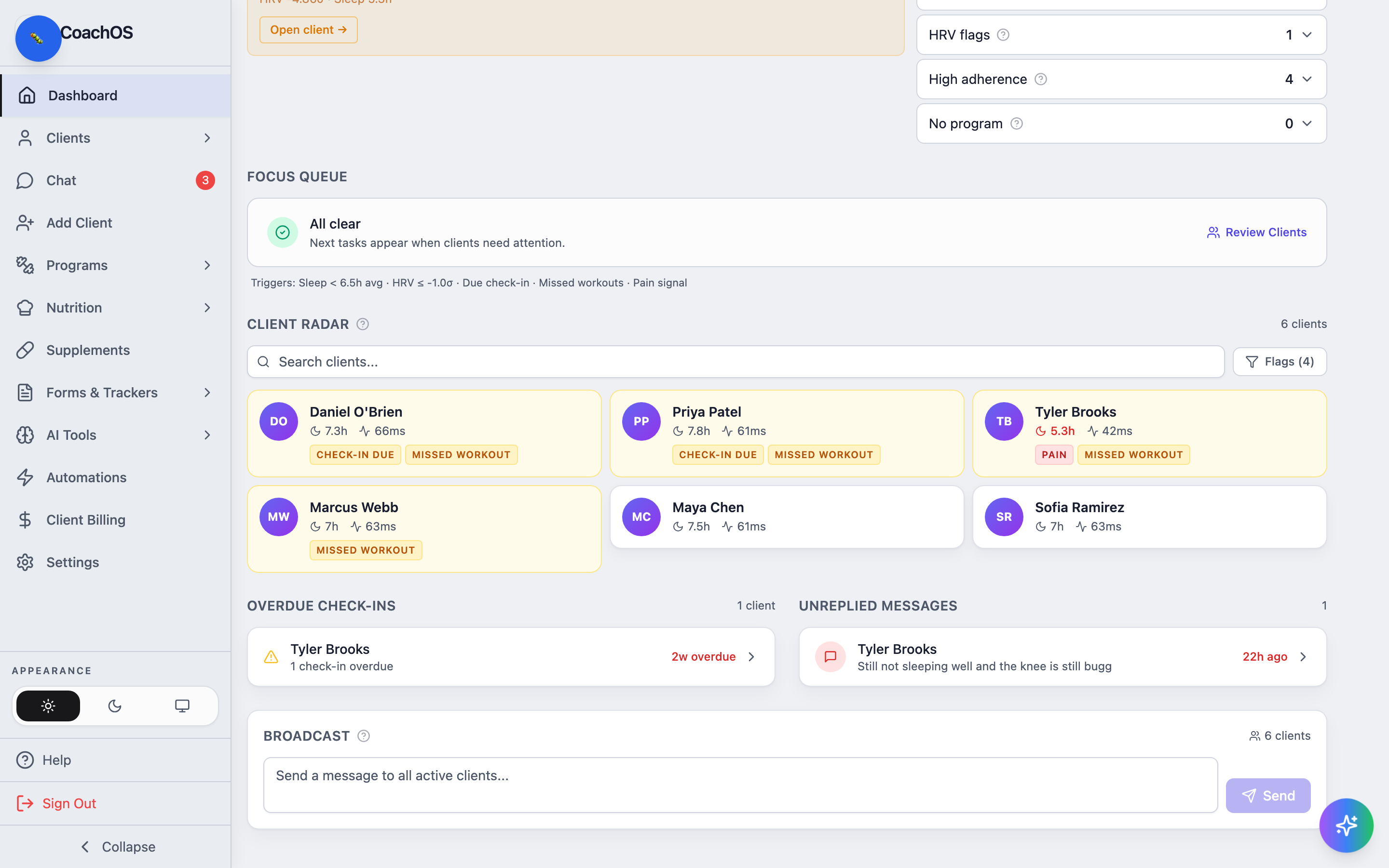
The dashboard is your morning triage view: it surfaces the clients who need you today so you don't have to open every profile.
Today's focus and alert tiles
Today's focus at the top shows the highest-priority items — an overdue check-in or a recovery alert — each with an Open client shortcut. The tiles on the right count what needs attention across your roster: Unreplied messages, Sleep alerts (3-day average under 6.5 hours), HRV flags (today's HRV well below the client's baseline), High adherence, and No program. Click any tile to expand the list of clients behind the number.
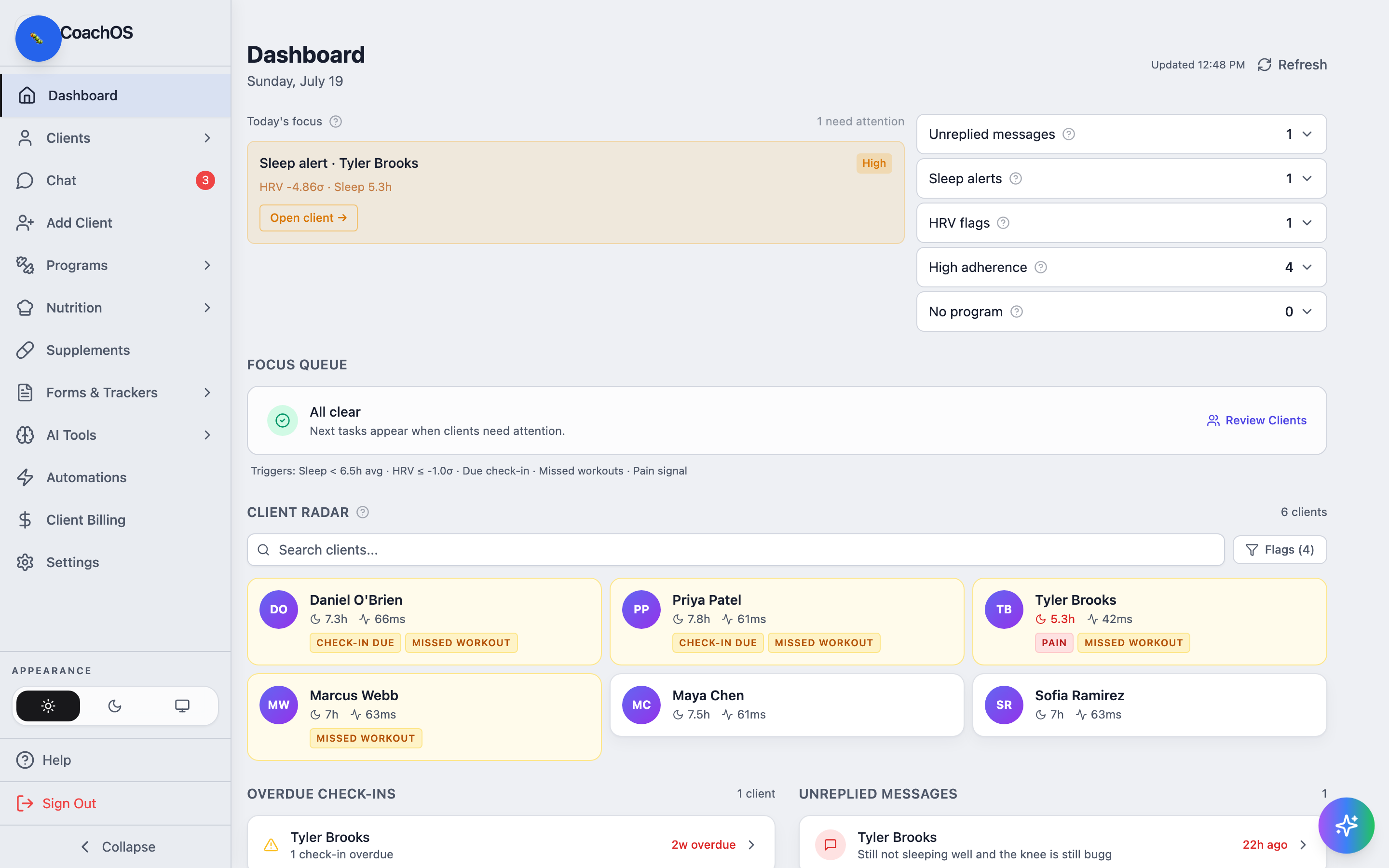
Focus Queue and Client Radar
The FOCUS QUEUE turns those signals into suggested tasks (for example, applying a deload for a client whose sleep and HRV are both down). The triggers it watches are listed underneath: sleep, HRV, due check-ins, missed workouts, and pain signals.
CLIENT RADAR shows every active client with their latest sleep and HRV values, plus flags like PAIN or MISSED WORKOUT. Use the search box to jump to one client, or Flags to see only flagged ones.
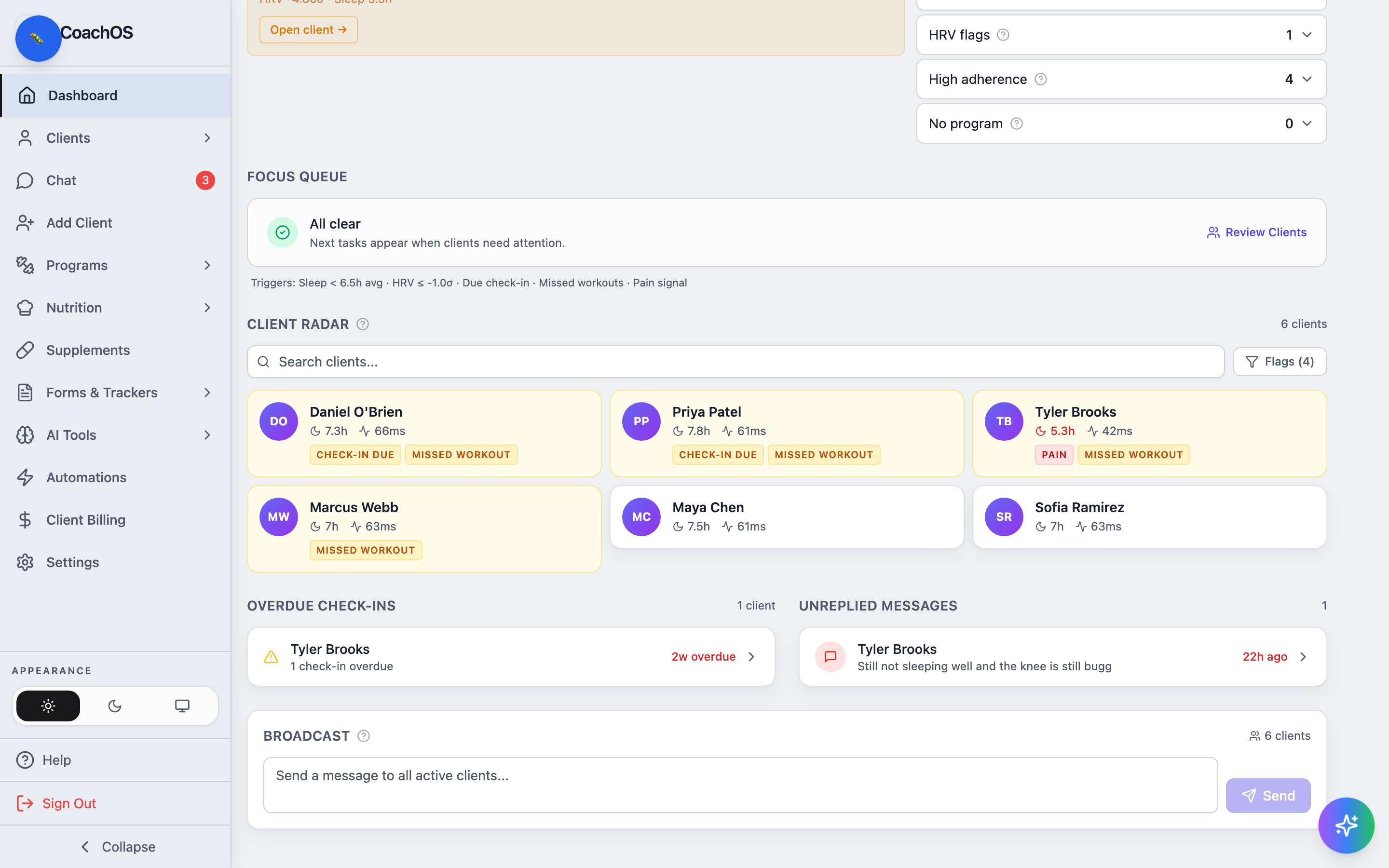
Overdue check-ins and unreplied messages
The bottom row lists OVERDUE CHECK-INS (with how late each one is) and UNREPLIED MESSAGES (with a preview of the client's last message). Both link straight to the client so you can act without hunting.