
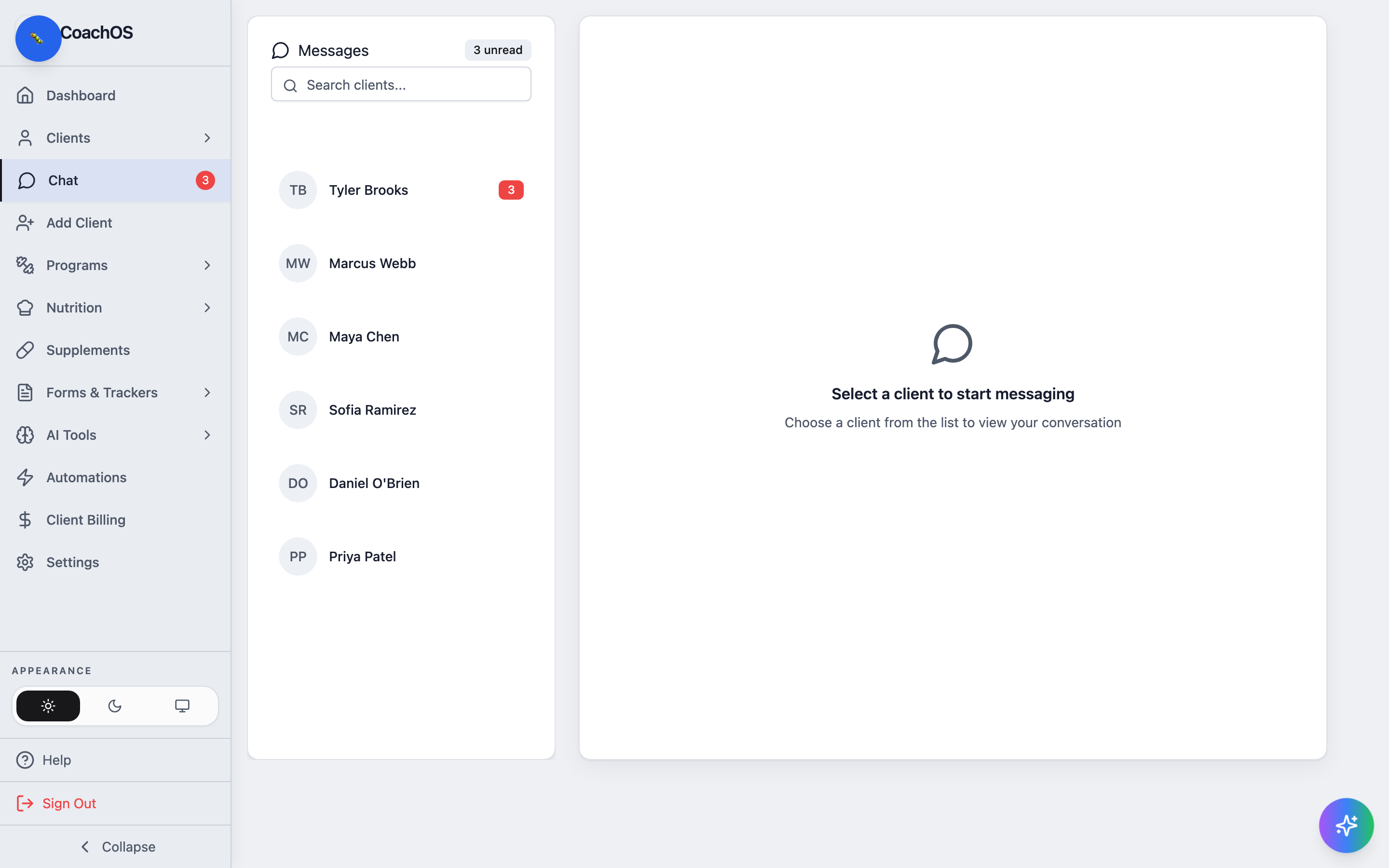
Chat is the message inbox between you and each client. The sidebar badge shows your total unread count, so you always know when someone is waiting.
1. Open your inbox
In the sidebar, click Chat. The Messages list shows one thread per client, with unread counts per thread and the total at the top.
2. Open the conversation
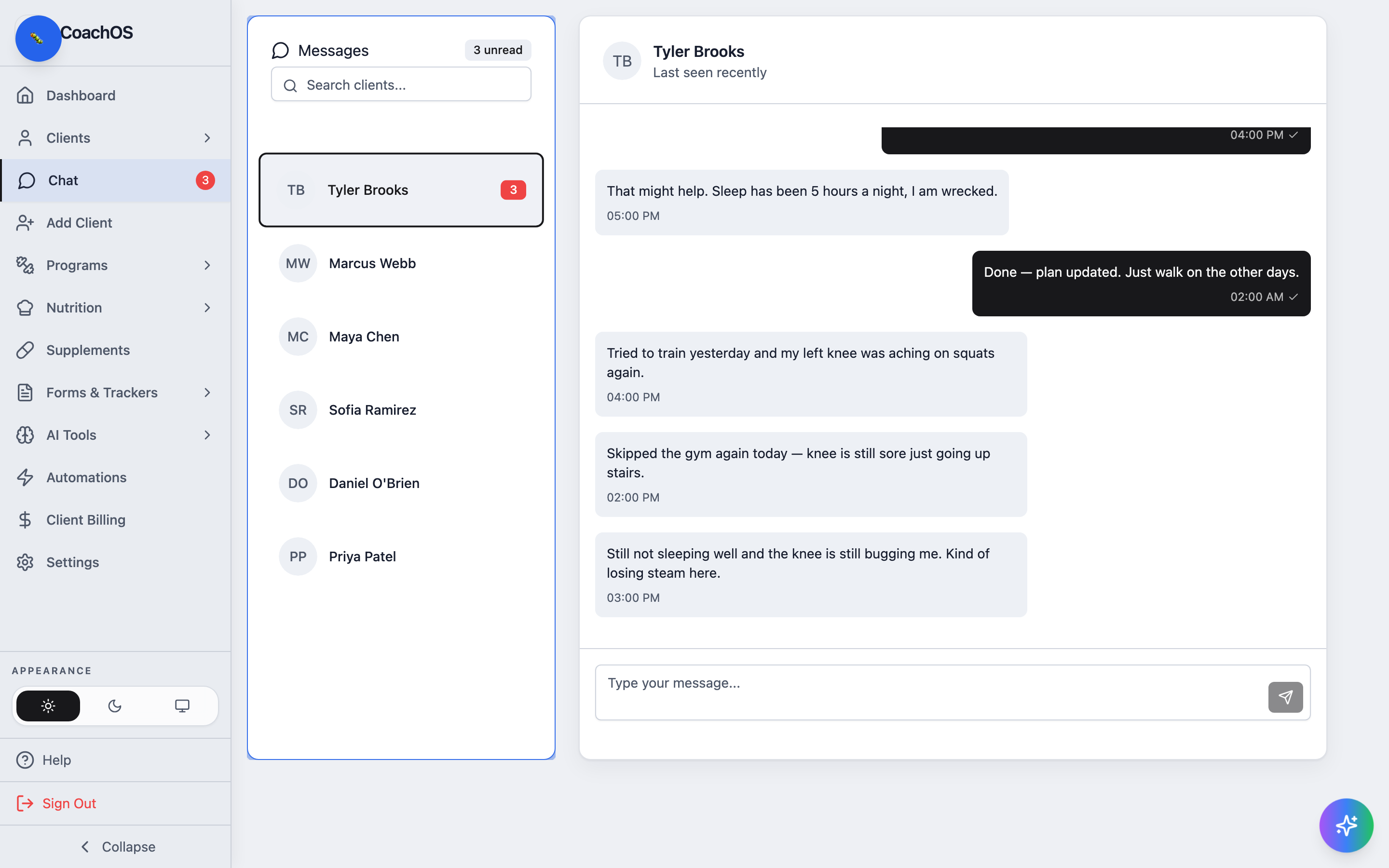
Click a client to open the thread. Opening it marks the messages as read — your message bubbles appear on the right, the client's on the left.
3. Reply
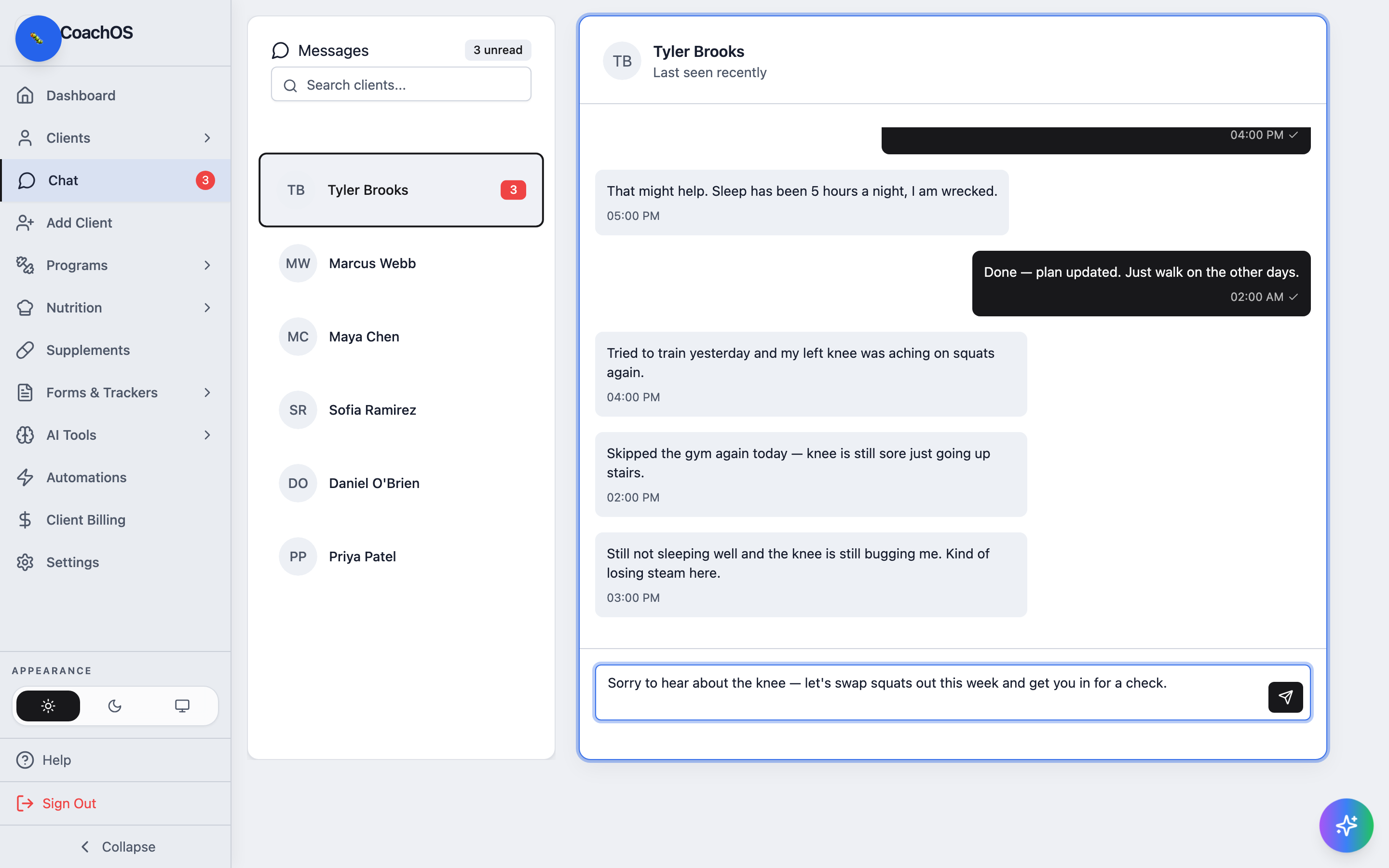
Type in the message box at the bottom and press Enter (or click the send button) to reply.
Unreplied client messages also surface on your dashboard under UNREPLIED MESSAGES, so nothing slips through.