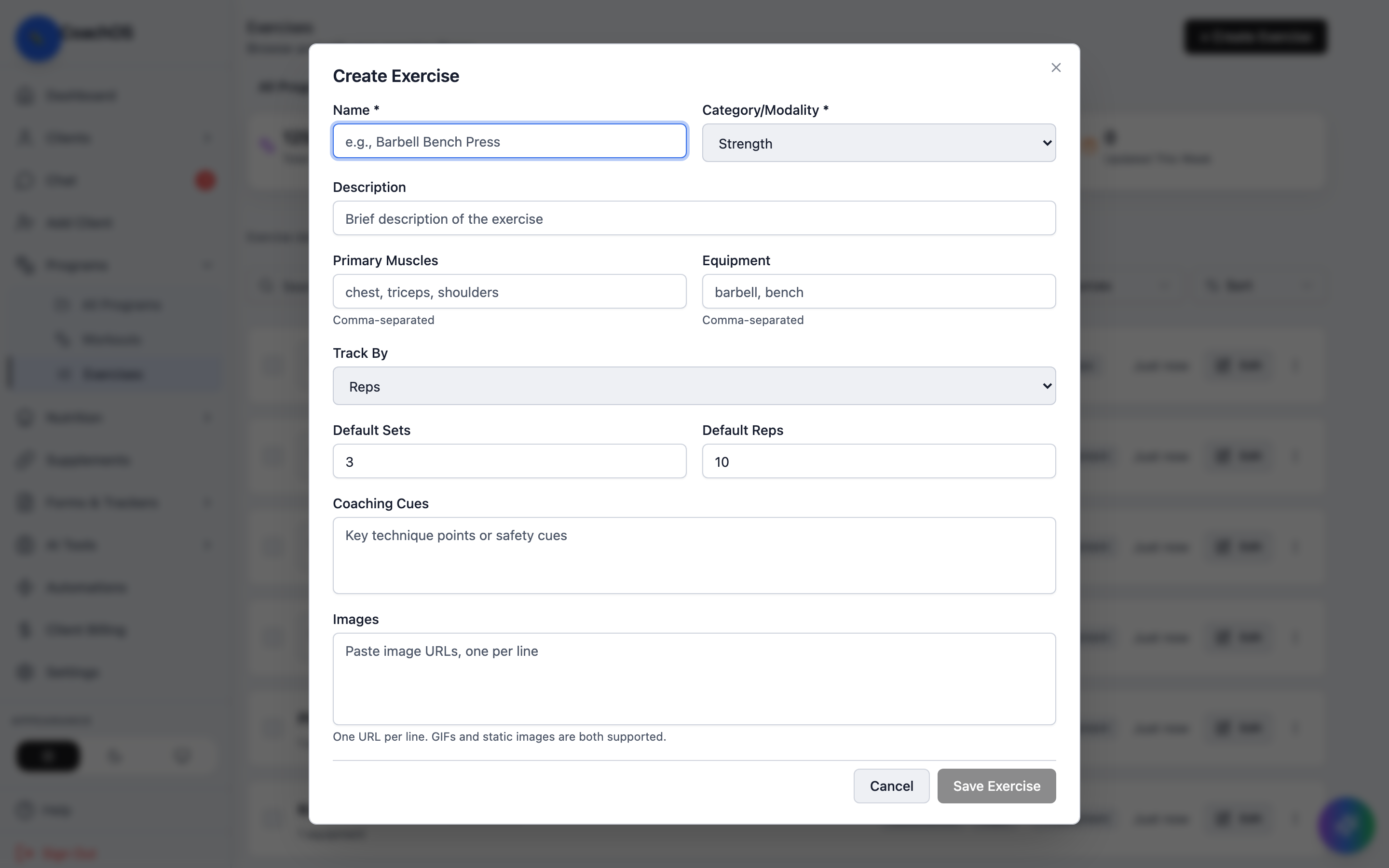
Every workout you build pulls from the exercise library. CoachOS ships with a full catalog — demonstration GIFs included — and you can add your own exercises on top.
1. Browse the library
Go to Programs → Exercises. Filter by category chips (Strength, Bodybuilding, Calisthenics, Cardio, HIIT, Mobility), sort, and favorite the exercises you use most.
2. Search
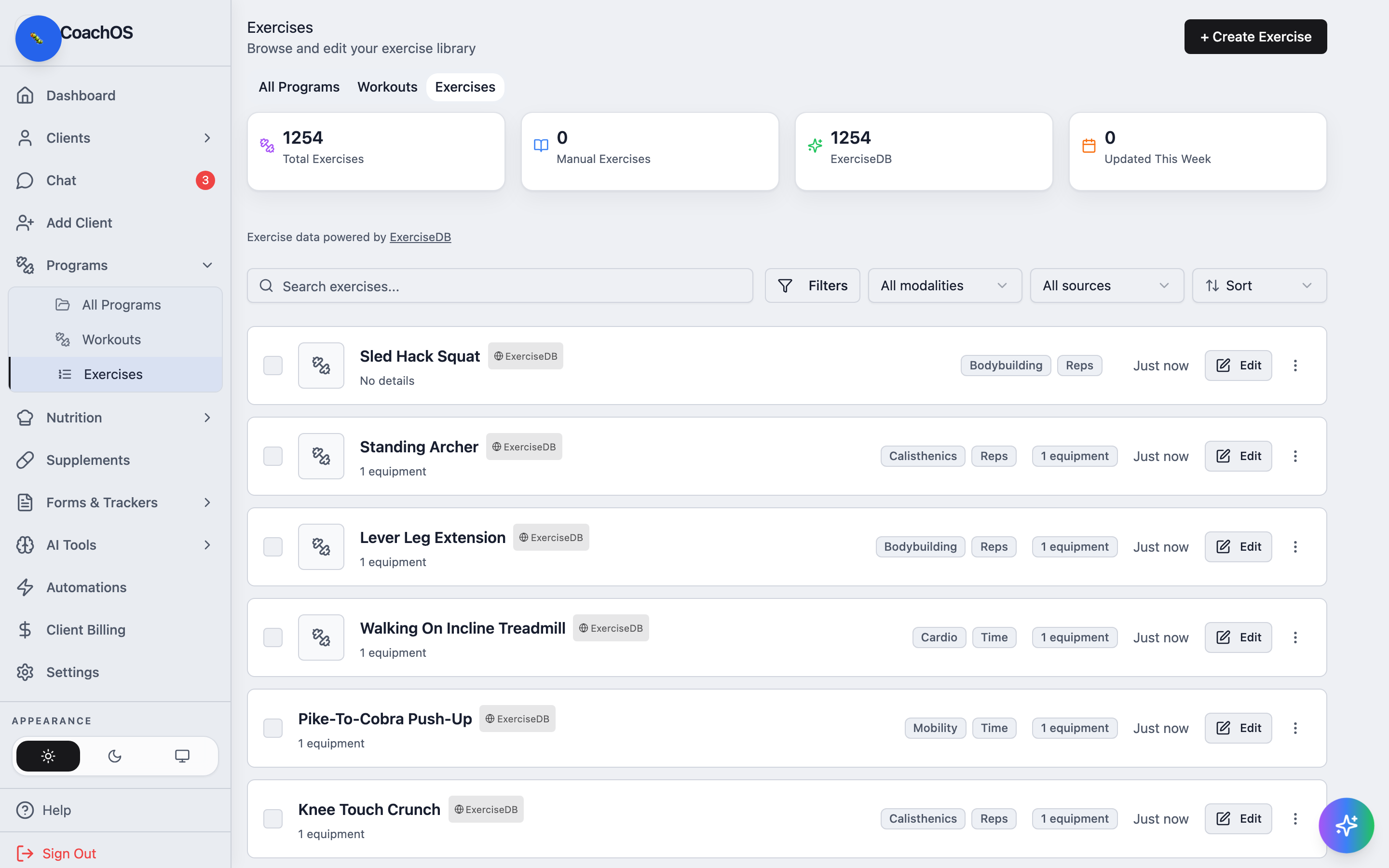
Type in Search exercises... to filter by name — useful mid-build when you know exactly what you want.
3. Create your own
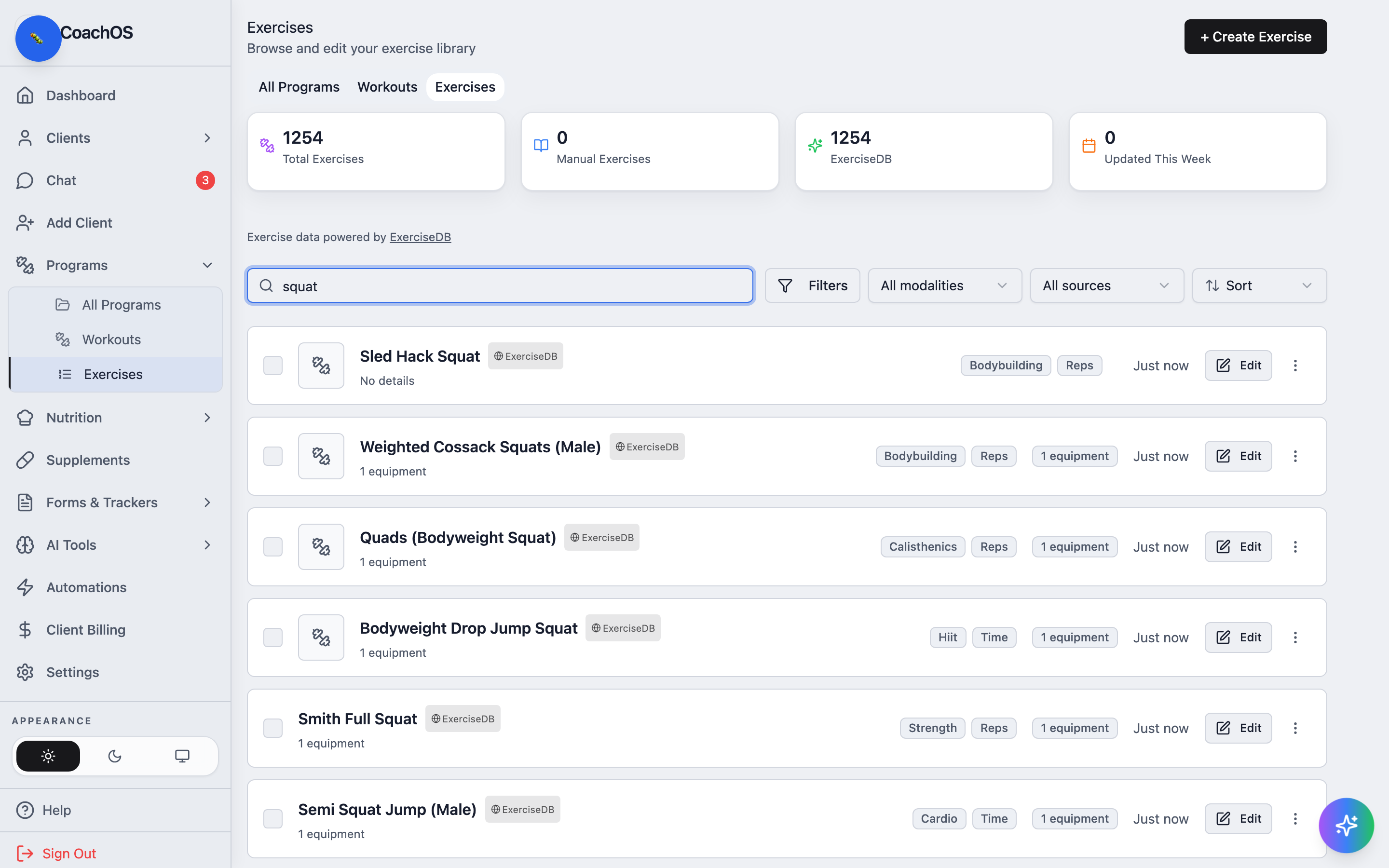
Click Create Exercise for movements the catalog doesn't cover — name it, set the category and equipment, and tag the muscles it targets. Custom exercises behave exactly like catalog ones in workouts, logging, and progress charts.